QR Code Scams (Quishing): Parking Meters to Fake Packages
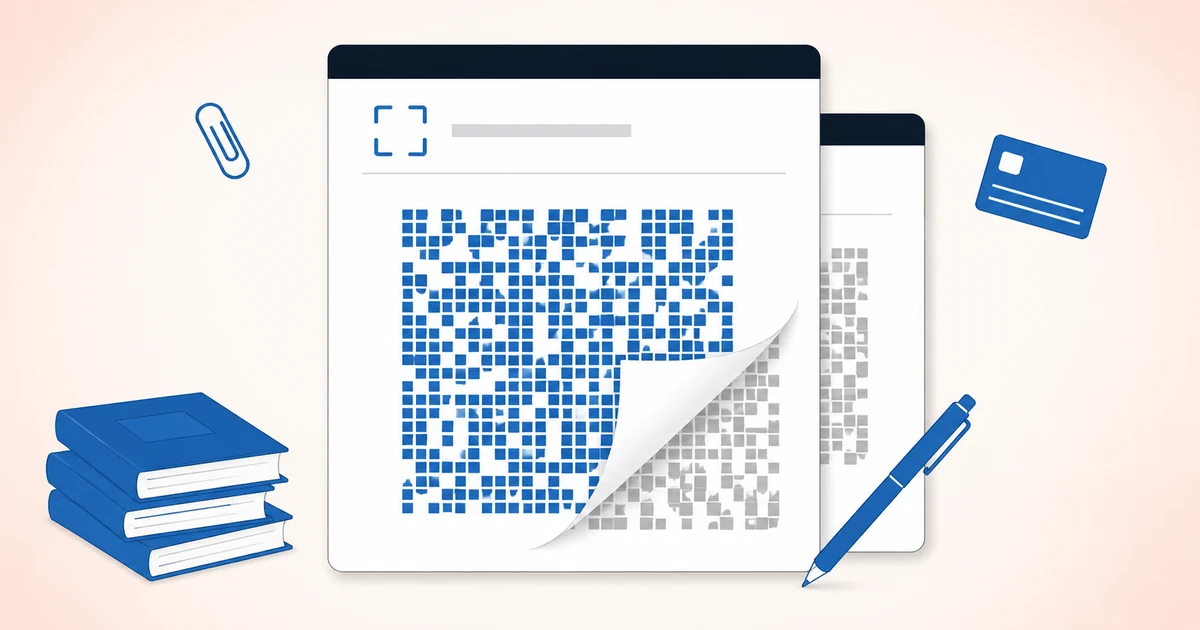
There’s a scam running in a lot of cities right now that costs about eleven cents to pull off. A criminal prints a QR code on a sticker sheet, walks up to a parking meter, and slaps their code on top of the real one. That’s the whole operation. The meter still looks official. The sign still says “Scan to pay.” And the next person who parks there is now typing their card number into a page the scammer controls.
This kind of attack has a name now: quishing. It’s just phishing, the old trick of getting someone to hand over their information on a fake page, with a QR code as the delivery method instead of a link in an email. New wrapper, same con.
I spent over 20 years building identity protection products. I’ve watched a lot of scams come and go, and I’ll tell you what makes this one worth understanding. The QR code itself isn’t the problem. A QR code is a neutral thing, a square of dots that points to a web address. It can’t be malicious any more than a phone number can. The vulnerability is us. Specifically, the trust we extend to a sticker because it’s stuck to something that looks legitimate.
Once you see it that way, the whole category gets easy to defend against.
Why a QR Code Slips Past Your Normal Defenses
Most people have learned, over years of practice, to be a little suspicious of links. You hover over one in an email and check whether the address looks right. You notice when “amazon” is spelled with a number. You’ve built up instincts.
A QR code deletes all of that. It’s a picture. There’s nothing to read, nothing to hover over, no spelling to check. You point your camera at a square and you find out where it goes only after you’ve already gone there. Researchers have a good phrase for this. They call it insecurity by obscurity. The code hides its own destination until the moment you commit.
That gap in scrutiny is measurable, and the numbers are worse than most people would guess. In a 2025 study out of USENIX, one of the more respected security research venues, researchers tested 1,876 people. Many of them spotted a phishing attempt when it arrived as a normal link. Almost none of them caught the same attack when it came through a QR code. When the researchers sent a fraudulent payment request, only 13 percent of people recognized it as a scam when it was delivered as a QR code. When they had to type the payment details in manually instead, 46 percent caught it. Same scam. The only thing that changed was the delivery method, and it roughly tripled how often the attacker got through.
There’s a second reason these codes work, and it has nothing to do with technology. It’s the setting. A QR code on a parking meter, a restaurant table, or a transit kiosk borrows the trust you already have in that place. You’re not thinking “is this parking meter trying to scam me.” You’re thinking about feeding the meter so you don’t get a ticket. The scammer isn’t defeating your judgment. They’re catching you at a moment when you’re focused on a task and not really looking.
Where These Codes Actually Show Up
The mechanics barely change from one version to the next. What changes is the disguise. Here are the four you’re most likely to run into.
The Parking Meter and Public Kiosk Overlay
This is the one I opened with, and it’s the cleanest example of the whole idea. A sticker with a fake code goes over the real one on a parking meter, an EV charging station, a bike-share dock, or a transit machine. You scan, you land on a page that looks like the city’s payment portal, and you enter your card. There’s no meter, no payment, and now someone has your card number.
The tell is physical, not digital. If a QR code on public equipment looks like a sticker applied on top of the surface, especially if it’s peeling at a corner or sitting slightly crooked over another code underneath, treat it as suspect. Real payment codes are usually printed directly onto the machine or sealed under it.
The Fake Delivery Slip
You come home to a card on your door or in your mailbox. “We missed you. Scan to reschedule your delivery.” It feels legitimate because it’s a physical object sitting at your house, and physical objects feel more trustworthy than emails. That instinct is exactly what’s being used against you. The code sends you to a page that asks for your address, your card “to cover a small redelivery fee,” and sometimes your account login for the carrier. The FTC and the U.S. Postal Inspection Service have both put out warnings about versions of this, including QR codes arriving on slips and even inside unexpected packages you didn’t order.
No shipping carrier needs your credit card to redeliver a package. If a slip pushes you to pay a fee or log in through a scanned code, that’s the scam.
The Tampered Restaurant Placard or Menu
Restaurants trained all of us during the pandemic to scan a code at the table to see the menu or pay the check. Scammers noticed. A fake code gets stuck over the real one on the table tent or the window placard, and it routes you to a lookalike ordering or payment page. Because scanning to pay at a table is now completely normal, nobody blinks.
If a restaurant code takes you to a page asking for a card before you’ve ordered anything, or the page looks even slightly off, stop and ask a server how they actually take payment.
The Email Code That Targets You at Work
This version skips the physical world. A scammer sends an email with a QR code as an image, usually dressed up as something urgent from IT or HR. “Your multi-factor authentication is expiring, scan to re-enroll.” Multi-factor authentication, for anyone who hasn’t run into the term, is the second step that texts you a code or pings an app when you log in. The reason attackers moved to an image is clever. A lot of corporate email filters scan the text of links to catch known bad addresses. A QR code is a picture, so there’s no link text to scan, and the message sails through. Then you scan it with your personal phone, which your employer’s security tools can’t see, and you enter your work password on a fake login page.
If a work email wants you to scan a code with your phone to fix something on your account, that’s worth a pause and a direct message to your actual IT team.
The Habit That Defeats Almost All of It
Here’s the good news, and it’s the reason this whole category is less scary than it sounds. You don’t need special software or a subscription to beat quishing. You need one habit, and it takes about two seconds.
Preview the address before you tap.
On both iPhones and Android phones, when you point your camera at a QR code, the phone shows you the web address it’s about to open in a little banner or pop-up before it actually goes there. Most people never read it. In one field study, 67 percent of people who scanned a code opened the link without ever glancing at where it pointed. That preview is your one scrutiny cue, the thing the code tried to strip away, handed back to you. Read it. If the address doesn’t clearly match the business you expect, or it’s a random string of characters, or it’s a shortened link hiding the real destination, don’t open it.
The second habit matters just as much.
Never enter a password or payment information on a page you reached only by scanning a code.
This rule holds even when the preview looks fine, because a convincing fake address can slip past a quick glance. If a scanned page wants you to log in or pay, close it. Then go to the real thing the way you normally would. Type the parking app’s name into your browser yourself. Open the restaurant’s own app. Log into your delivery carrier from a bookmark you already have. It’s a few extra seconds, and it takes the scammer’s fake page completely out of the loop. They can’t harvest what you never type into their page.
That’s really the entire defense. Preview the destination, and refuse to enter anything sensitive on a page a code sent you to. Do those two things and the eleven-cent sticker stops working.
If You’ve Already Scanned One
Scanning a bad code, by itself, usually isn’t the disaster. Modern phones don’t get infected just from opening a web page, and simply landing on a scam site doesn’t hand anyone your information. The damage happens at the next step, when you type something in. So the question that matters is: did you enter anything?
If you only scanned and looked, close the page and move on. You’re almost certainly fine.
If you entered a card number, call your bank or card issuer, tell them the card may be compromised, and ask them to watch for or block fraudulent charges. Federal law limits your liability for fraudulent card charges, and the sooner you flag it, the simpler the process.
If you entered a password, change it on the real site immediately, and change it anywhere else you used that same password. Reusing one password across sites is how a single leaked login turns into several break-ins, so this is a good moment to stop doing it.
If you handed over enough for real identity theft, a Social Security number, for instance, IdentityTheft.gov is the FTC’s official recovery site and the right place to start. Our guide on what to do when someone opens a credit card in your name walks through the same recovery steps in plain language.
The Honest Bottom Line
Quishing gets written up as a scary new frontier, and I understand why. It’s novel, it shows up in physical places you didn’t expect, and the research shows people fall for it at high rates. But novel doesn’t mean sophisticated. This is an old scam wearing a new hat. The technology isn’t doing anything clever. It’s borrowing the trust you place in a parking meter, a delivery slip, or a table at a restaurant, and it’s counting on you being too busy to look before you tap.
So look. Read the address your camera shows you, and never type a password or a card number into a page a code sent you to. That’s a free defense, it takes seconds, and it works against every version of this I’ve described.
If you want to think about the bigger picture of protecting your information, our piece on whether identity theft protection is worth it covers what those services actually do and don’t do for you. And if you’re helping an older parent who’s a frequent target for scams like this, our guide to protecting an aging parent from scams is a good next read.
Tom Reardon spent over 20 years in product and operations at major identity protection providers. He writes at MyScamGuide.com to give consumers the honest picture the industry’s marketing never did.
Recommended resources:
- FTC: Scammers hide harmful links in QR codes: the FTC’s consumer alert on quishing
- U.S. Postal Inspection Service: Quishing: postal inspectors on fake package and delivery codes
- FBI: Unsolicited packages containing QR codes: the FBI’s alert on QR codes in unexpected mail
- IdentityTheft.gov: the FTC’s official recovery resource if your information was taken